Free early trial. No account required. The editor interface is currently in English; use a desktop browser for the best experience.
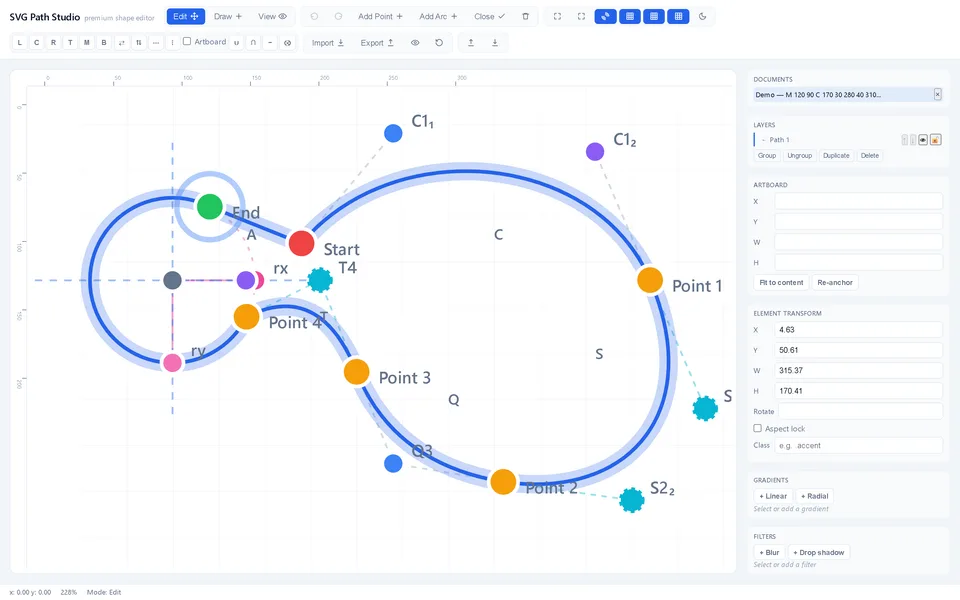
Arc editing in SVG Path StudioInterface capture from development.
For precise, focused edits
From a path to a usable SVG.
Work directly with geometry
Move anchors and handles, edit coordinates and adjust Bézier curves and elliptical arcs. Fit the canvas around the path you are editing.
See the path behind the shape
Select commands, edit their values and inspect SVG path code. Undo and redo let you compare changes as you refine an icon or illustration.
Keep work in your browser
Documents and session backups stay locally in the browser. Download a session backup to keep a separate copy, or export your SVG for the next step in your workflow.
A short first session
Open a built-in example: an arc, an icon or a mixed SVG document.
Select a point, change a coordinate and compare the result with Undo and Redo.
Inspect the path code, then export SVG and check it in your target application.
Know the boundaries
Designed for path editing.
Path commands, common shapes and selected document features are editable. Unsupported markup may be preserved in the export without being editable or visible in the preview. Complex SVG documents need a round-trip check in the application where the result will be used.
Current import limits: 2 MiB per file, 10 files per batch, 2,000 elements, nesting depth 32 and 20,000 path tokens. Browser storage can be cleared or become unavailable; downloaded backups remain your independent copy.
Image preview is limited to small static embedded PNGs; other images remain in the export. Heavy filters can be omitted from the preview. Best approached with a desktop browser, keyboard and pointing device. Export preserves source markup; it does not sanitise an SVG for publication.
How did your edit go?
After trying the editor, tell me what worked or got in your way. A short answer is enough.
A small edit, step by step
Change a Bézier curve and check its colour, viewport and exported result with a complete working example.
I design and build software from the first useful workflow through delivery. If your team needs a custom editor, integration or product, start with a short written brief.
AI editing is a separate, facilitated prototype and is not available in this public editor yet. This page counts visits and link clicks by campaign source without cookies or visitor IDs. Counts are not unique-user or completed-edit measurements.