You receive an SVG icon and need to soften one curve. Before rebuilding the shape, identify the command responsible for the geometry and make the smallest useful change. Keep an independent copy of the source.
Start with the path
Save this minimal example as an SVG file:
<svg xmlns="http://www.w3.org/2000/svg" viewBox="0 0 120 100">
  <path d="M 20 70 C 20 20 100 20 100 70"
        fill="none" stroke="currentColor" stroke-width="4" />
</svg>
M establishes the start point. C defines two control points and the endpoint of a cubic Bézier segment. Uppercase commands use absolute coordinates. MDN path-command reference ↗
Keep the endpoints at (20,70) and (100,70). To lower the top of the curve, change the control points’ y coordinates from 20 to 35:
<path d="M 20 70 C 20 35 100 35 100 70"
      fill="none" stroke="currentColor" stroke-width="4" />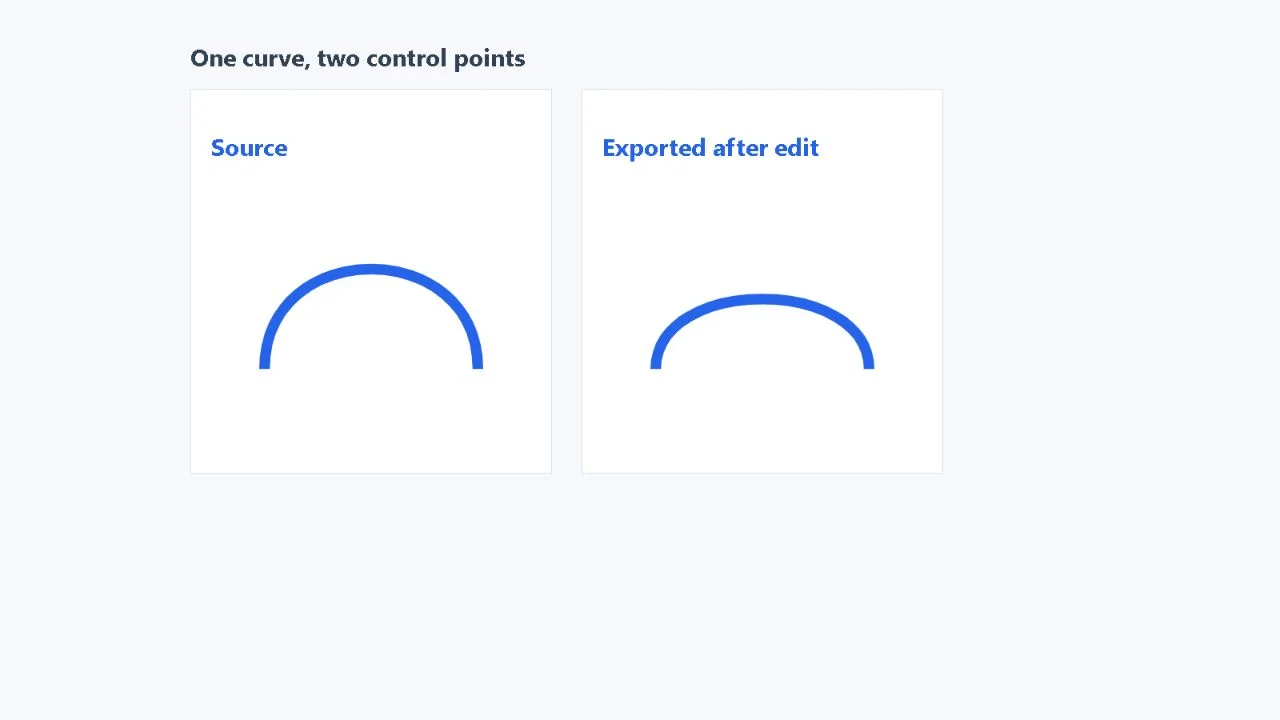
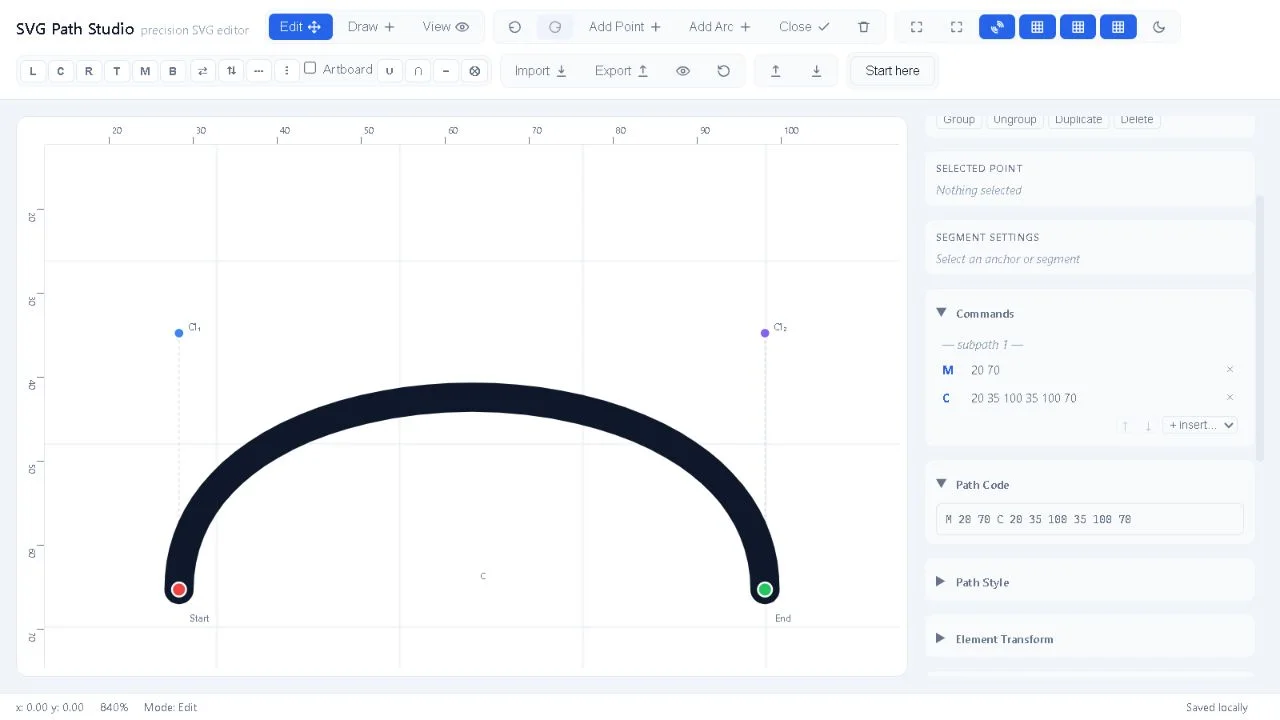
Make the edit in SVG Path Studio
- Open Import, paste the complete SVG and select As elements (tree).
- Focus the C command in Commands and press F2. Enter 20 35 100 35 100 70, then press Enter.
- Use Undo and Redo to compare the geometry.
- Open Export. Element tree and Artboard viewBox are selected by default for this imported document. Inspect the output, then download it.
Check the document, not just its preview
In this checked example, the export retains viewBox="0 0 120 100", stroke="currentColor", fill="none" and stroke width 4. currentColor inherits its colour from the surrounding document: test the icon where you will actually use it.
The editor can add metadata and explicit SVG style defaults. This example does not establish lossless compatibility for every SVG feature. Some unsupported content can survive export without being editable or fully visible in the preview.
Merge and One document per path are geometry-oriented import choices. Choose document mode for this guide. Editing and preserving source markup also do not sanitise a file for embedding: use your application’s normal asset-security process.
Need a specialised tool for your team? I design and build software from the first useful workflow through delivery. Explore working together ↗